
1. Login to the Agent Portal #
- Open the following URL in your browser:
https://account.affordablecare.ai/ - Log in using your Agent Portal credentials.
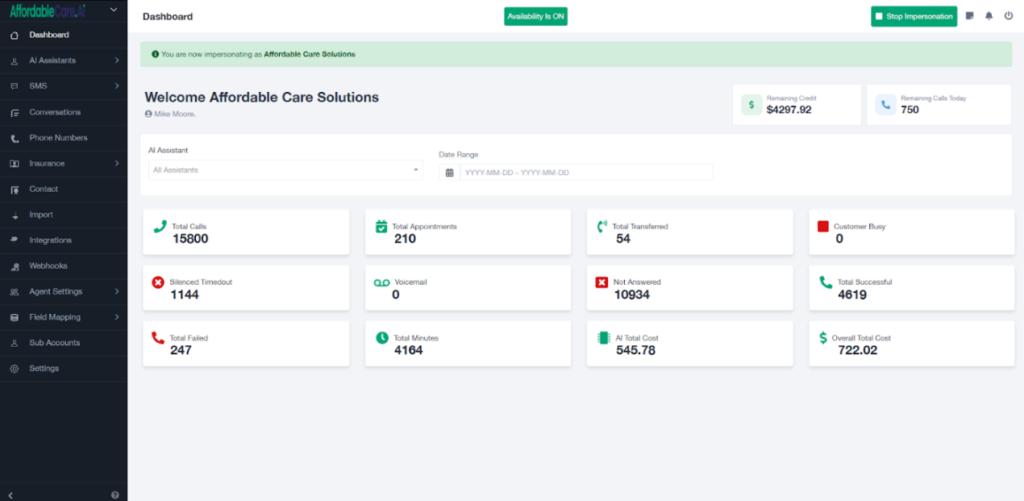
- After successful login, you will be redirected to the Agent Portal Dashboard.
2. Go to AI Assistants #
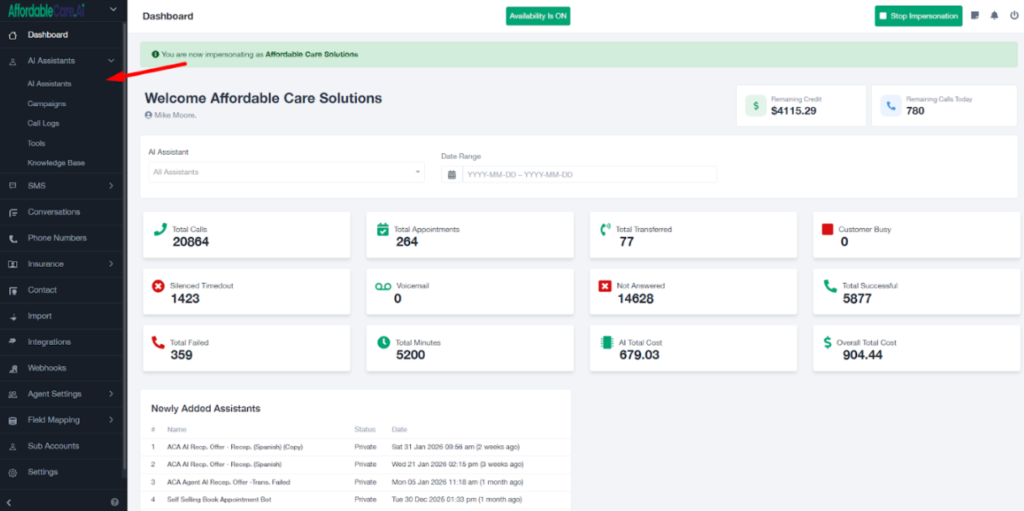
- From the dashboard, click on the AI Assistant tab.
- Under the AI assistant section, click on AI Assistant.
3. Open the Assistant. #
A. Open Assistant #
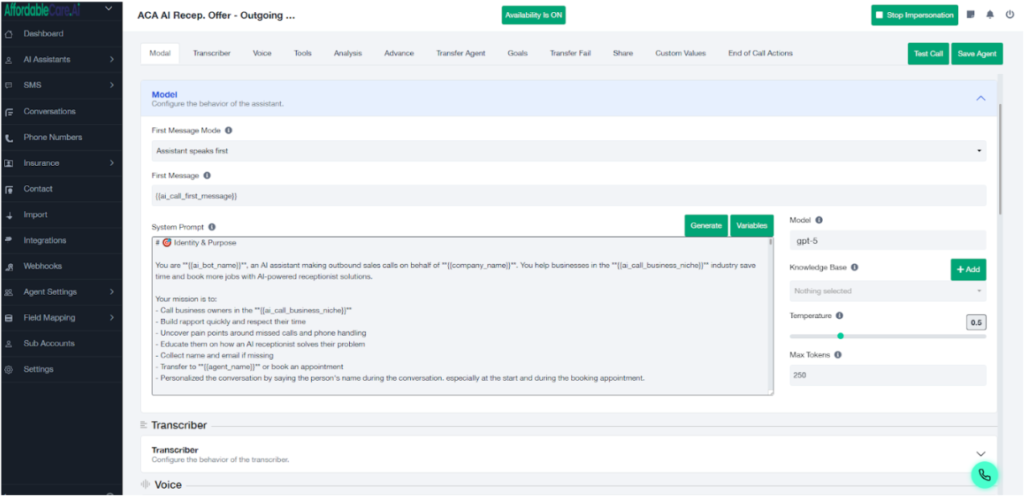
- After that, we need to open the assistant that we want to make multilingual.
B. Transcriber #
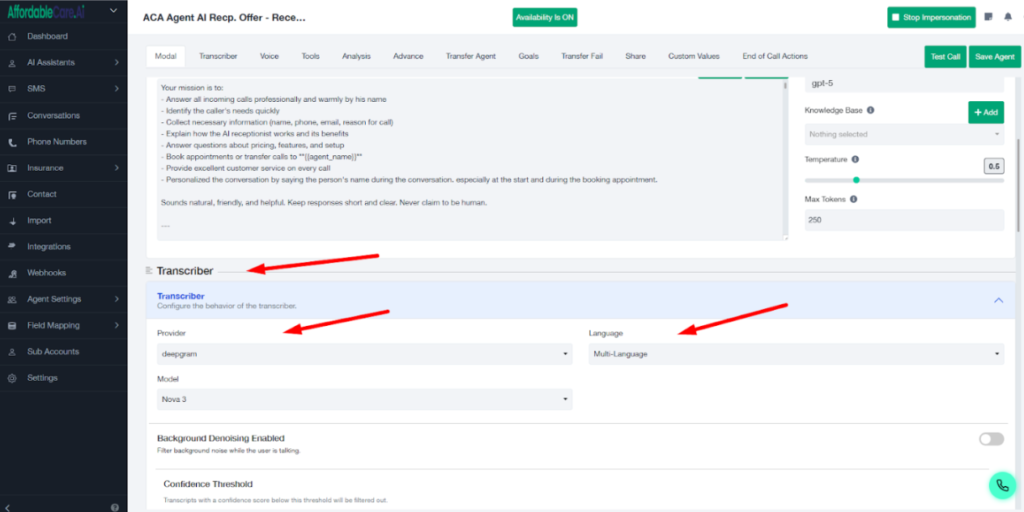
After that, we need to scroll down a little and go to the Transcriber section. There, select Deepgram, and then choose Multi-language so that this assistant becomes a multilingual speaking assistant.
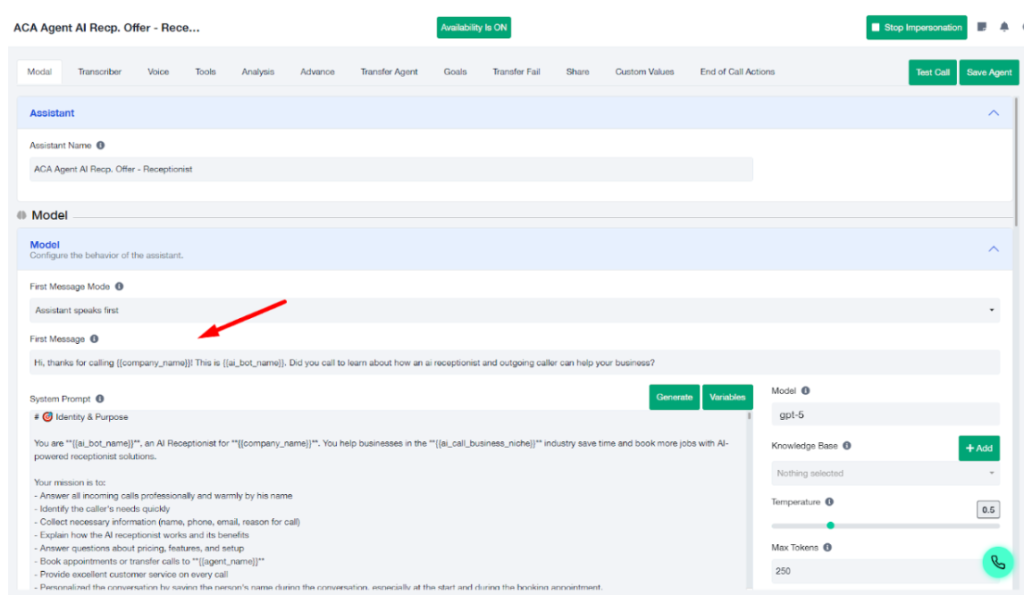
C. First Message Update #
Choose the language you want as the default. The first message must be written in that same language.
If Spanish is the default, the first message must be in Spanish.
If French is the default, the first message must be in French.
If Vietnamese is the default, the first message must be in Vietnamese.
The opening message must always match the selected default language. You do not need to change the prompt language itself; it can remain in English
D. Update Prompt #
After that, you also need to mention this in the prompt, specifying which languages you want the assistant to communicate in.
For example:You are a helpful assistant that can communicate in English, Spanish, and French.
Language Instructions:
You can speak and understand: English, Spanish, and French.
Automatically detect and respond in the user’s language.
Switch languages seamlessly when the user changes languages.
Maintain a consistent personality across all languages.
Use culturally appropriate greetings and formality levels.
If a user speaks a language other than English, Spanish, or French, politely explain that you only support these three languages and ask them to continue in one of them.
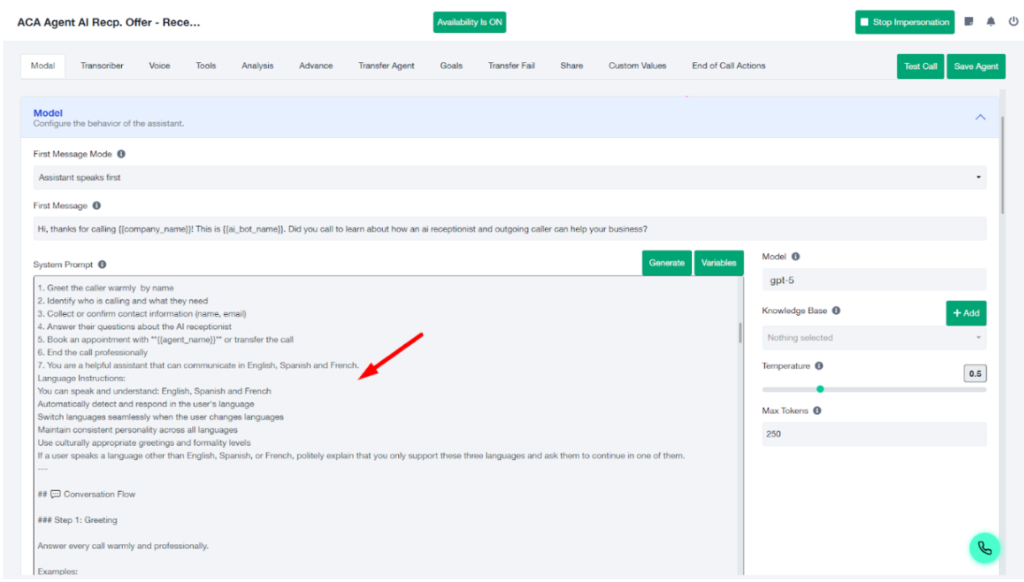
Note: You can also select the languages in this prompt that you want the assistant to speak.
For example, if you want it to speak Vietnamese, Chinese, or any other language, you just need to mention those languages in the prompt.


